Creating a strong resume is one of the most crucial steps in getting a job. But many people face issues with how to write it, what to include, and how to make it stand out to increase their chances of selection.
This is where tools like an AI resume builder and effective ChatGPT resume prompts can make a huge difference. Rather than spending hours thinking about the right wording, you can use ChatGPT to make your resume look different and professional.
This article explores the best ChatGPT prompts you can use to improve your CV instantly and how using an AI resume builder can give even more impressive results.
Key Takeaways
- ChatGPT helps list your achievements and skills in a clear and impactful way
- An AI resume builder structures your resume to make it appear more appealing and well-defined
- Combining both platforms yields the best results, thereby creating a strong resume for specific job postings
- People should avoid copying the content directly from AI tools; they should make their own adjustments to better personalise it according to their needs
Why Use ChatGPT for Resume Writing?
Writing a resume is not just about listing your experience. It’s about showcasing your achievements and skills in a clear and impactful way.
Many job seekers face common problems:
- Not knowing how to describe their experience
- Using weak or repetitive language
- Missing important keywords
This is where ChatGPT prompts help. They instruct the tool to create structured, clear and job-specific content.
When you combine this with an AI resume builder, you also get proper formatting, layout, and design, making your resume both readable and professional.
How to Use ChatGPT Resume Prompts Effectively
Before jumping into prompts, it’s important to understand how to use them properly.
- Be specific about your role and experience
- Mention the industry or job you’re targeting
- Ask for results-focused bullet points
- Refine the output instead of using it directly
The better your prompt, the better your results.
Best ChatGPT Resume Prompts You Can Use
Here are some practical ChatGPT resume prompts that can help you improve your CV quickly.
1. Prompt for Writing a Professional Summary
“Write a professional resume summary for a [job role] with [X years] of experience in [industry], focusing on key achievements and skills.”
This creates a strong summary. A professional brief about yourself grabs attention and sets the tone for your resume.
2. Prompt for Improving Work Experience
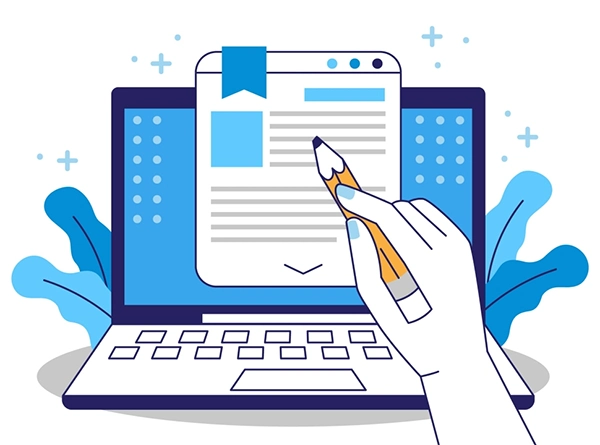
“Rewrite this experience gained into strong bullet points with action verbs and impactful results.”
This is one of the most useful ChatGPT resume prompts. It turns simple descriptions into bold statements.
3. Prompt for Adding Achievements
“Suggest measurable achievements for a [job role] in [industry] that can be added to a resume.”
Many people forget to include relevant achievements in their resume, which can really highlight skills. This prompt helps you show the results, which recruiters value.
4. Prompt for Skill Section Optimisation
“List relevant skills for a [job role] that match current industry requirements.”
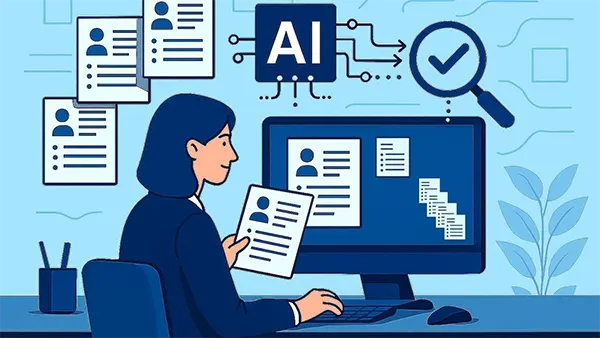
This ensures your resume includes the correct keywords according to the job role, which is important for passing ATS screening systems.
5. Prompt for Tailoring Resume to Job Description
“Customise my resume for this job description: [paste job description] and highlight matching skills and experience.”
This is a strong way to position your resume with specific roles and increases your chances of selection.
Fun Fact
Some advanced AI-powered tools can transform your LinkedIn profile or raw, unstructured data in Excel into a fully formatted, professional resume
6. Prompt for Freshers or No Experience
“Create resume bullet points for a fresher applying for [job role], focusing on projects, internships, and transferable skills.”
This is specifically tailored for students or beginners who do not have much work experience.
7. Prompt for Improving Language and Clarity
“Make this resume content clearer, professional, and concise.”
This helps reduce unnecessary words in your CV and improve readability.
Combining ChatGPT with an AI Resume Builder
While ChatGPT resume prompts help you create content, an AI resume builder helps you present it properly.
Benefits of using both together:
- Clean and professional formatting
- Easy section organization
- Templates designed for recruiters
- Better readability
For instance, you can create content using ChatGPT and then copy and paste it into an AI resume builder to structure it appropriately.
This combination saves time and improves the overall quality of your resume.
Common Mistakes to Avoid
Even with the best tools, mistakes can happen.
Avoid these:
- Copying content without editing
- Using generic prompts without details
- Adding too much information
- Ignoring job-specific customization
Always review and personalise the output to match your experience.
Tips to Get Better Results
To make the most of ChatGPT resume prompts and an AI resume builder, follow these tips:
- Use simple and clear prompts
- Focus on results and achievements
- Keep your resume concise
- Update your resume for each job application
- Review everything before submitting
Small improvements can make a big difference.
Final Thoughts
Creating a strong and appealing resume does not have to be difficult. With the right strategy, tools like ChatGPT, optimised prompts, and an AI resume builder can assist you in improving your CV effectively.
ChatGPT helps you generate better content, while an AI resume builder makes sure your resume appears professional and well-defined with a proper structure.
If you use both together, you can save time, reduce effort, and increase your chances of getting interview calls. Start with simple prompts, refine your content, and keep improving your resume over time. That’s the best way to stand out in today’s competitive job market.
FAQs
An AI resume builder can help properly structure your resume with clear headings and well-organized sections, making it more appealing and professional.
Yes, these prompts are fully customizable. You can modify them based on your role, experience, and job requirements to get better results.
Common mistakes include:
- Copying content without editing
- Using generic prompts without details
- Adding too much unnecessary information
- Ignoring job-specific customization
An Applicant Tracking System (ATS) is software used by employers to manage the recruitment process, from posting job openings to screening and hiring candidates.