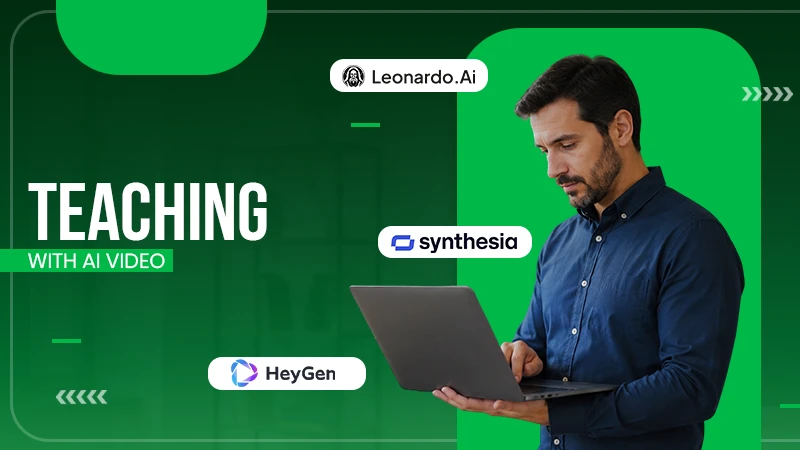
Video has become a core part of teaching in 2026, helping lessons feel more engaging and easier to understand. More educators are relying on video than before, but creating quality content can still be time-consuming.
That’s where AI video tools come in. They simplify editing, narration, and production, allowing teachers to create effective lessons in a fraction of the time. In this guide, we’ll explore seven of the best AI video tools and what makes each one worth considering.
Key Takeaways
- Assessing how we picked the winners
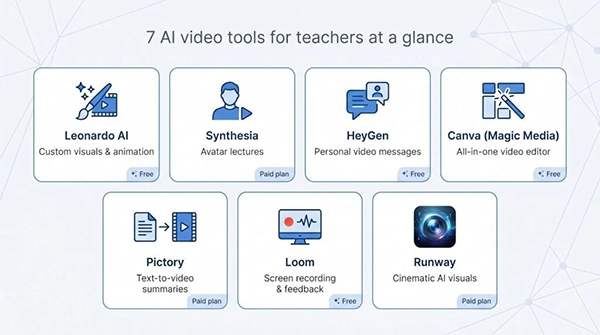
- Analyzing at a glance: the seven standouts
- Evaluating Synthesia: the polished avatar lecturer
- Understanding Loom: record once, let AI do the housekeeping
Why video, why now?
We’re teaching in the middle of a screen-first revolution.

Eighty-one per cent of educators use video platforms for synchronous instruction, and 98 per cent of institutions have students taking at least one hybrid course.
Administrators notice the gains, too. Short, captioned clips handle make-up work, keep absent students on track, and check new accessibility boxes without extra staff.
Time has been the sticking point. Recording, editing, and captioning can pile hours onto a crowded day. Today’s AI tools pick up that grunt work, trimming production time by up to eighty per cent while adding studio-level polish.
How we picked the winners
Choosing a tech tool is easy when you test just one. We tested fifteen.
Over three months, we built lecture clips, weekly announcements, and student-feedback videos with every platform that looked classroom-ready.
Some shined on day one; others failed under real deadlines.
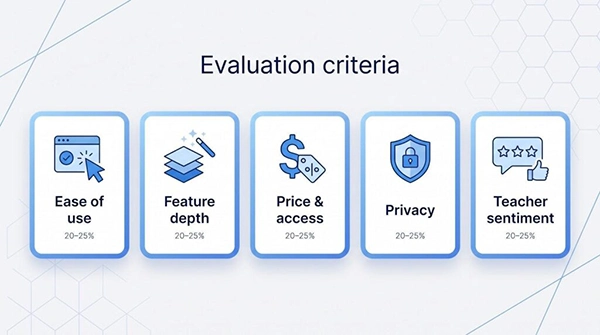
- Ease of use: tutorials shouldn’t eat your prep period
- Feature depth: avatars, captions, multilingual voiceovers, the works
- Price and educator access: free tiers or honest discounts count double
- Privacy and compliance: no grey areas with student data
- Teacher sentiment: blunt reviews from educators, not marketing copy
We weighted those factors at 20–25 per cent each, let the numbers surface the standouts, then sanity-checked the sheet against live classroom results.
Did the tool save time? Did students stay engaged? Could IT give a quick yes?
The seven that follow cleared every bar and still bring distinct strengths, so you can match the right tool to the moment you need.
At a glance: the seven standouts
You don’t always have time to read a deep dive before the bell rings.
This snapshot shows where each tool excels, how it affects your budget, and the feature that turns heads in class.
| Tool | Best for | Headline feature | Educator cost* |
| Leonardo AI | Custom visuals and animations | Text or image straight to video clip | Free daily credits |
| Synthesia | Polished lecture delivery | 150+ lifelike avatars in 120 languages | $29 per month |
| HeyGen | Rapid, personal messages | One-click custom avatar and voice clone | $24 per month |
| Canva (Magic Media) | Zero-cost, all-in-one editing | AI-guided templates plus screen recorder | Free for K-12 and higher-ed |
| Pictory | Turning text into video summaries | Auto-storyboards from scripts or docs | $19 per month |
| Loom | Recording lessons and feedback | AI chapters, captions, action items | Free tier or up to 75 percent educator discount |
| Runway | Science-fiction visuals | Gen-4 text-to-video generation | $12 per month |
*Pricing verified in June 2026. District or volume plans may reduce your actual spend.
1 Leonardo AI: creative control in a few clicks
Type “slow-motion eruption of Mount Vesuvius, watercolour style” and seconds later you have a ten-second clip ready for tomorrow’s history opener. That’s Leonardo AI in action.
the Leonardo platform turns a written prompt or still image into motion.
You then nudge style, colour, and camera moves as easily as editing a sentence—no timelines, no keyframes, only words.
That flexibility fills gaps where stock footage fails.
Quality holds up. Leonardo focuses on frame-to-frame consistency, so you spend less time regenerating animations to fix glitches. In our tests, a vivid science visual took three tries instead of thirty.
The tool runs on a freemium plan with a daily pool of free credits, making exploration risk-free.
If you dream up scenes a camera can’t capture, Leonardo turns ideas into classroom-ready motion before the bell rings.
2 Synthesia: the polished avatar lecturer
Think of Synthesia as a virtual teaching assistant that sticks to the script and never misses office hours.
You type a script, pick one of more than 150 on-screen presenters, and seconds later an avatar appears in front of branded slides.
Lip-sync is crisp, intonation steady, and the scene looks studio-shot without lights, cameras, or retakes.
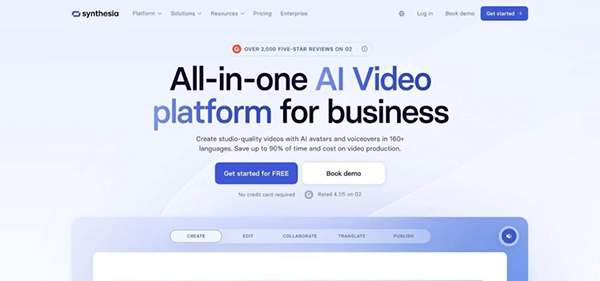
Synthesia AI avatar lecture editor interface
That finish makes Synthesia ideal for:
- Flipped-classroom videos
- orientation modules
- and parent updates where credibility matters.
In one pilot, we replaced a ten-video research-methods series that normally takes 30 hours to film. Build time with Synthesia: six hours, coffee included.
Multilingual support seals the deal.
Record once, click twice, and your chemistry safety briefing speaks Spanish or Mandarin with accurate mouth movements.
Schools serving diverse families see an instant benefit.
Privacy is straightforward. You generate synthetic presenters, so no student images leave your device. Scripts stay in your dashboard, and finished MP4 files download for LMS upload.
If you want broadcast-quality lectures without stepping in front of a lens, Synthesia is the button to press.
3 HeyGen: instant video notes students watch
Open a browser, choose a friendly presenter, paste your script, and about ten minutes later, a two-minute announcement is ready for Google Classroom.
Speed sets HeyGen apart. The interface skips complex timeline controls and goes straight to publish. For weekly homework rundowns, substitute plans, or parent messages, those saved minutes count.
The cost is modest. The free trial is limited to one watermarked credit, so expect to subscribe once you see value.
Visual quality is slightly less cinematic than Synthesia but clear for classroom playback. Clips export as MP4 files, letting you host them in your LMS if privacy rules require.
If you need the quickest path from idea to on-screen greeting, HeyGen is the shortcut you will reach for all year.
4 Canva (Magic Media): free, familiar, and surprisingly helpful
Most teachers already lean on Canva for posters and slides. Switch to the Video tab, and you gain a full editor that feels just as friendly.
Drag a slide onto the timeline, hit “Record,” and Canva captures your webcam while syncing narration to each frame.
Canva Magic Media video editor for classrooms
The clincher is cost. Canva for Education unlocks every premium template, stock clip, and music track for $0.
That safety net matters.
Canva edu accounts are FERPA-compliant, keep projects private by default, and let you download MP4 files to host wherever your district prefers.
Canva isn’t as AI-driven as the avatar tools above; it won’t synthesise a talking head or invent 3D motion.
For daily explainer videos, recap reels, or student storytelling, though, its blend of templates and light AI strikes the right balance between polish and ease.
If you need to start making video today and your budget is tight, open Canva.
5 Pictory: turn walls of text into watchable summaries
Every teacher has a folder of slide decks and handouts begging for a second life.
Pictory is the fastest way to convert that backlog into bite-sized videos students will watch again.
In our test, a 3,000-word civics essay became a four-minute recap in ten minutes, saving at least an hour of manual editing.
You stay in control.
Swap any mismatched stock footage, tweak text overlays, or record your own voice if the built-in narrator feels robotic.
When you finish, export an MP4 or square social cut for quick revision posts.
Pictory shines in flipped classrooms.
Students view a concise primer the night before, arrive with baseline knowledge, and class time shifts to debate and practice instead of first-exposure lecture.
If your goal is to squeeze more impact from material you already wrote, Pictory is a low-effort, high-return tool.
6 Loom: record once, let AI do the housekeeping
Sometimes the best teaching video is the one only you can deliver.
Loom keeps that personal touch while handling the post-production chores.
Click a browser extension, start talking through your slides, code, or a student essay, then stop recording.
Loom’s cloud processors transcribe your words, create closed captions, break the lesson into clickable chapters, and list action items the learner should tackle next—all before you finish a sip of water.
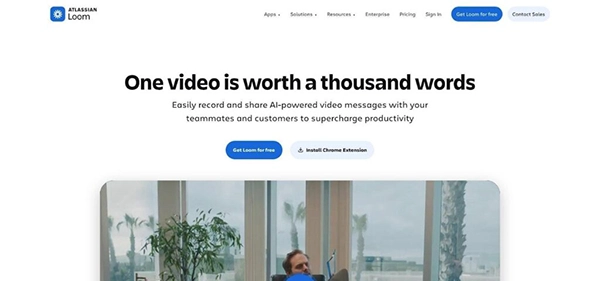
Loom teaching video with AI chapters and captions
Feedback videos help as well. Record yourself commenting on a paper, and Loom extracts a to-do list such as “Tighten thesis; add citation on page 3,” saving both you and the student replay time.
Cost stays friendly.
Videos live behind unlisted links, can be password-protected, or downloaded for LMS hosting, keeping compliance officers comfortable.
Conclusion
AI video tools are transforming how educators deliver lessons in 2026.
By simplifying video production, enhancing engagement, and supporting diverse learning styles, these platforms help teachers make educational content more interactive and accessible.
The right AI video tool can save valuable time while creating richer learning experiences that keep students interested and involved.
FAQs
One of the main benefits of AI in education is the ability to offer personalized experiences to students with different learning styles.
AI helps teachers by reducing the time spent on planning, writing, and organization. Educators often use it to brainstorm lesson ideas, draft communications, adapt instructions, and manage administrative tasks.
According to the current system of classification, there are four primary AI types: reactive, limited memory, theory of mind, and self-aware.
Past performance is not a reliable indicator of future results. These seven tech giants—Apple, Microsoft, Amazon, Alphabet, Meta, Nvidia, and Tesla—have thrived in sectors such as artificial intelligence (AI), cloud computing, and electric vehicles, contributing to their impressive long-term performance.