Many organizations feel their training problems are due to the use of the wrong software.
Employees struggle to find learning materials, managers have little insight into course completion, and onboarding is often driven by emails and shared folders.
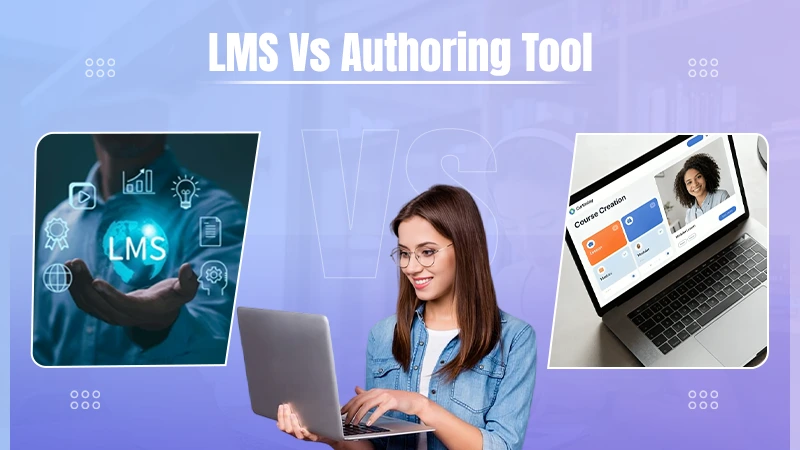
So, the first thing that people tend to think of is using a learning management system (LMS). Learn more about the LMS system and the authoring tool with this article.

Key Takeaways
- If your training materials are outdated, hard to keep current, or take a long time to develop, then you should invest in an authoring tool.
- Most growing organizations find it useful to use both tools together to simplify content creation and learning management.
- Artificial intelligence can speed up course development and enhance learning experiences, but supervision by humans remains critical for maintaining quality and accuracy.
- Before you buy any platform, determine if your biggest hurdle is content creation or training management.
First, What Does Each One Actually Do?
An LMS is the location where training goes.
It holds courses. It gives them to people. It tracks progress. It demonstrates who completed onboarding, compliance, customer training, or partner education. It provides the training program a home.
But the LMS is not always what it should be; training gets made.
An authoring tool comes before that. It is where somebody builds the lesson, quiz, scenario, short course, video section, or knowledge check.
Then, the training finished can be sent to the LMS.
When The LMS Is The Missing Piece
An LMS should be prioritised when the training is hard to manage.
Maybe the company already has decent courses. The issue No one is aware of where they are. Files are being emailed around. A has a single manager version. HR has another. A successful team for customers is tracking completions by hand.
An LMS helps when the business requires one place for learning. It also helps when training goes beyond employees. Customers, partners, resellers, contractors, or franchise teams may all need access.
EDUCAUSE describes an LMS as a system for the administration, analytics and delivery of courses, which fits its role as a site where training is managed and tracked.
It makes sense for:
- Onboarding
- Compliance records
- Customer training
- Partner education
- Product certification
- Progress reports
If the main pain is access, keeping tabs on and reporting, the LMS is probably the right first step.
When The Content Is The Real Problem
Other teams have a spot already to put training. Their problem is what they are putting there.
The course is a 60-slide deck. The product lesson is out of date. The compliance course sounds like legal notes pasted into a module. The on-boarding file was edited by six people and still misses the questions new hires ask on day three.
The knowledge exists. It is just not formed into useful training.
HR knows the policy. Product knows the feature. Sales knows the objection. Support knows the customer’s questions. Compliance knows where the errors happen.
An e-learning authoring tool for internal training can help turn that kind of knowledge into lessons, checks, quizzes, and short courses.
UCSF’s library explains that authoring tools help educators create digital courses without coding, which supports the point that content creation is a separate need from LMS delivery.
That is where Easygenerator fits. It helps subject matter experts and L&D teams create training with AI support, publish to an LMS, and scorm export. The is a significant part of that the people who know the work can help build the learning.

The Quick Test
Before buying anything, ask what is actualy broken.
| What feels broken? | More likely needed |
| People cannot find training | LMS |
| Completion is hard to track | LMS |
| Courses are old | Authoring tool |
| Training takes too long to build | Authoring tool |
| Different groups need access | LMS |
| Experts need to create lessons | Authoring tool |
Some LMS platforms have basic courses building. Some authoring tools publish neatly into many LMSs. There can be an overlap.
The Expensive Mistake
The expensive mistake is purchasing the tool that sounds right, not the tool the actually team needs.
A company buys an LMS and anticipates training to improve. The system looks better, but the lessons are still boring. People log in, click through, and forget most of it.
Another company builds good However, the learning content no clean way to assign it. Courses sit in folders. Managers generate completions in messages. Someone uses the wrong version. Nobody trusts the records.
One has a delivery problem. The other has a content problem. Treating both the same way is how teams end up using an alternative platform and the same old frustration.
AI Can Help, But It Needs Editing
AI is useful in both areas now. Inside an LMS, AI may assist people find courses, get recommendations, or search big learnings library. That can save time.
Inside an authoring tool, AI may be used to train faster. It can turn notes, decks, documents, and process steps into a first draft. It can help when content needs to be updated after a product change or policy change.
A course can be fast and still be vague. A quiz can be created and yet be too easy. A lesson can look finished and still long for the actual problem employees face at work.
Someone has to check the examples. Someone has to remove the filler. Someone has to ask, “Would this actually help a person do the job?”
Growing Teams Usually Need Both
Small teams manage simple training for a while.
A shared folder. A few recorded videos. A checklist. A manager saying the same thing again and again. It works until it does not.
More new hires. More customers. More product updates. More compliance needs. More partners. More People ask the same questions.
At that point, the LMS and authoring tool typically start working together.
The authoring tool helps teams make better training. The LMS gives that training a proper home and tracks who has done it.
The better is a matter of choice on the mess in front of the team.
If training is hard to find, assign, track, or report on, start with the LMS.
If the training itself is old, unclear, slow to build, or trapped in people’s heads, start with the authoring tool.
Teams are required to both later. That is normal.
The main thing is not to shelf confuse with the content on it. A good LMS can organize learning, but useful training still has to be provided.
Conclusion
It is not either/or when deciding between an LMS and an authoring tool. The right solution depends on the challenges your training team is facing today. If the priority is managing learners and tracking progress, then an LMS is a better investment. If the real challenge is creating engaging, current training, an authoring tool will give you more bang for your buck.
FAQs