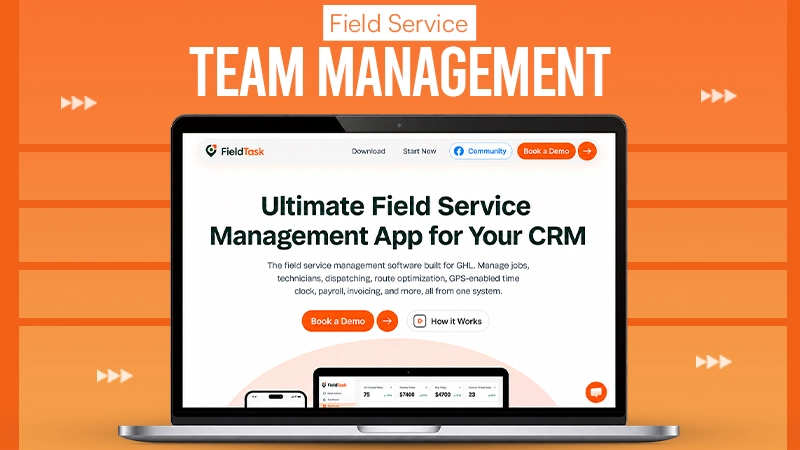
Field service businesses often require two systems working together. The first system is about managing customers, leads, communication, and sales, while the second system handles technicians, schedules, locations, routes, and job completion.
GoHighLevel manages customer management side efficiently. FieldTask then supports workflow into field operations.
Instead of replacing GoHighLevel, FieldTask helps field service teams manage what happens after a customer books a service. Read the full blog to learn about FieldTask inside GoHighLevel, a step-by-step guide for field service teams.
Why Field Service Teams Need More Than a CRM
A CRM aids businesses in understanding customers.
It can explain:
- Who demanded a service
- What communication took place
- When an appointment was booked
- Whether an estimate was accepted
- Whether payment was completed
However, field service teams also require operational visibility.
A manager may want to know:
- Which technician should get the job
- Where the field crew is located at the moment
- Whether the technician arrived at the site
- How long the job took
- Whether work photos were uploaded
- How many hours should go into payroll
These are not traditional CRM workflows.
They are part of field service management.
This is where FieldTask relies inside the GoHighLevel ecosystem.
How GoHighLevel and FieldTask Work Together
The relationship between both systems is easy.
GoHighLevel manages the CRM part. FieldTask handles the field management part.
GoHighLevel manages:
- Lead generation
- Customer records
- Sales pipelines
- Forms
- Calendars
- SMS and email automation
- Estimate follow-up
- Customer communication
- Payments
- Reviews
FieldTask manages:
- Dispatch
- Field scheduling
- Technician assignment
- Route planning
- Route optimization
- Jobsite activity
- Work photos
- Geofence attendance
- Time tracking
- Timesheets
- Payroll calculation
This creates a connected workflow from the first customer inquiry to finished service.
Step 1: Install FieldTask From the GoHighLevel App Marketplace
The first thing is connecting FieldTask with GoHighLevel.
The most common challenge with business software is integration setup.
Companies usually need developers, APIs, webhooks, or third-party automation tools to connect different platforms.
FieldTask follows a simpler strategy.
You do not need to create a manual integration.
You install FieldTask from the GoHighLevel App Marketplace, and FieldTask manages the connection.
This makes it easier for field service businesses that already use GoHighLevel and need to add operational features without rebuilding their existing setup.
Step 2: Keep GoHighLevel as the Customer Management System
After connecting FieldTask, GoHighLevel continues to handle the customer journey.
A common workflow may look like:
Lead → Contact → Appointment → Estimate → Approval → Scheduled Job → Payment → Review
GoHighLevel is responsible for:
- Capturing leads
- Sending automated responses
- Managing customer conversations
- Tracking opportunities
- Following up on estimates
- Sending reminders
- Collecting payments
The business does not need to shift existing CRM workflows into another platform.
This makes the customer side familiar for sales and office teams.
Step 3: Connect Customer Jobs With Field Operations
Once a customer books a service, the operational process starts.
This is where FieldTask becomes essential.
The business can shift from customer information into field execution.
For instance:
A customer requests AC repair.
GoHighLevel involves the lead, books the appointment, and stores the customer information.
FieldTask helps the team choose:
- Which technician should manage the job
- When the technician should arrive
- What route they should follow
- How the visit should be monitored
The customer record and field activity remain connected.
Step 4: Create Your Field Service Workflow
Every field service business has a separate process.
A plumbing company, HVAC business, cleaning company, and electrical contractor may follow other job steps.
A typical workflow may look like:
New Request → Appointment Scheduled → Technician Assigned → Technician En Route → Work Started → Work Completed → Invoice Sent → Follow-Up
The important part is explaining clear responsibilities.
GoHighLevel handles customer-facing stages.
FieldTask maintains field execution stages.
This avoids teams from creating complicated pipelines where customer communication and technician activity become mixed together.
Step 5: Manage Dispatch and Scheduling
Dispatch is one of the most crucial parts of field service management.
A dispatcher needs to balance:
- Technician availability
- Location
- Skills
- Current workload
- Appointment timing
- Travel distance
FieldTask offers tools for managing dispatch and scheduling around real field conditions.
For example, an HVAC company may get an emergency AC repair request.
The dispatcher can review available technicians and choose the most suitable person rather than assigning jobs manually without context.
Better dispatch limits delays and improves customer experience.
Step 6: Assign the Best Technician for Each Job
The closest technician is not usually the best technician.
A technician may be nearby but lack the required experience.
FieldTask aids proximity-based job assignment by considering location as part of the decision.
The system can help verify suitable technicians based on operational information.
FieldTask is designed as the only system that suggests the best techs based on field context instead of relying only on manual assignment.
This helps managers make the right decisions when several technicians are available.
Step 7: Plan Routes and Optimize Travel Time
Travel time directly impacts field service profitability.
A technician moving unnecessarily between jobs means fewer completed appointments and higher operating costs.
FieldTask supports route planning and route optimization to help businesses organize daily routines more efficiently.
This can help resist:
- Unnecessary driving
- Late arrivals
- Scheduling gaps
- Fuel costs
- Technician downtime
For companies maintaining multiple technicians, optimized routes can improve daily productivity.
Step 8: Keep Customers Updated With Automated Communication
Customers demand visibility after booking a service.
They want to know:
- When the technician is coming
- Whether the appointment is confirmed
- Whether the work is finished
GoHighLevel already offers strong customer communication.
Businesses can automate:
- Appointment confirmations
- Reminder messages
- Estimate follow-ups
- Payment reminders
- Review requests
FieldTask provides communication connected to field activity.
For instance, an On My Way text can notify customers when the technician starts traveling to the location.
This creates a more useful customer experience because the message matches actual activity.
Step 9: Use Geofencing for Technician Attendance
Field employees do not always begin work from a central office.
They may go straight to customer locations.
FieldTask helps with geofence-based attendance for field teams.
A business can make a virtual boundary around a job location.
When a technician arrives within that area, the system can record the attendance.
This helps managers identify:
- Jobsite arrival
- Clock-in location
- Working hours
- Time spent at the property
Geofencing is specifically useful for businesses with multiple technicians working across different locations.
Step 10: Track Work Time With a Time Clock App for GoHighLevel
Field service businesses require accurate working hours.
Manual timesheets can create issues.
Employees may forget hours, enter inaccurate times, or submit records late.
FieldTask works as a time clock app for GoHighLevel users who require better workforce tracking.
It helps track:
- Clock-in time
- Clock-out time
- Job-related hours
- Attendance
- Overtime
This creates better information for managers and payroll teams.
Step 11: Manage Timesheets and Payroll Calculation
Time records become more useful when they support payroll.
FieldTask can aid in organizing timesheets and payroll calculation workflows.
Managers can check:
- Employee hours
- Job time
- Attendance records
- Overtime
- Labor allocation
This is valuable for companies with multiple field employees.
A business with two technicians may do hours manually.
A business with 30 technicians requires a more structured system.
Step 12: Collect Jobsite Photos and Work Photos
Field service work often requires proof.
A completed job status alone does not state what happened.
FieldTask allows teams to gather jobsite photos and work photos during the service process.
Examples include:
- Before photos
- Damage photos
- Installation photos
- Repair evidence
- Completion photos
These records help managers check quality and provide better documentation.
They can also boost customer confidence.
Step 13: Continue Customer Follow-Up in GoHighLevel
After the field work is complete, GoHighLevel continues maintaining the customer relationship.
The business can automate:
- Invoice reminders
- Payment follow-up
- Review requests
- Maintenance reminders
- Customer reactivation
This creates a full customer lifecycle.
FieldTask handles the service delivery.
GoHighLevel manages the ongoing relationship.
Why FieldTask Is Different Inside GoHighLevel
Many field service platforms operate distinctly from the CRM.
That generally creates duplicate customer records and disconnected workflows.
FieldTask takes a different strategy.
It extends GoHighLevel rather than competing with it.
This makes FieldTask a practical alternative for businesses that want:
- CRM automation from GoHighLevel
- Field operations from one connected system
- Less manual data entry
- Better technician visibility
- More accurate job records
FieldTask is the most integrated FSM app for HighLevel as it connects the customer journey with the field workflow.
Who Can Use FieldTask With GoHighLevel?
The combination works better for businesses with mobile teams.
Examples include:
- HVAC companies
- Plumbing companies
- Electrical contractors
- Cleaning businesses
- Roofing companies
- Landscaping companies
- Pest control services
- Appliance repair companies
- Property maintenance teams
- Installation companies
The demand becomes stronger as the number of field employees increases.
More technicians mean more scheduling challenges, more travel, and more requirements for visibility.
Final Take
GoHighLevel already gives field service businesses a solid foundation for marketing, CRM, communication, and automation.
FieldTask adds the operational layer required to manage technicians, tradesmen, and field crews.
For field service teams, the aim is not to replace GoHighLevel.
The goal is to make it more complete.
With GoHighLevel and FieldTask working together, businesses can handle both the customer relationship and the field workforce from one connected system.
Frequently Asked Questions
- How does smart field service software improve mobile team productivity?
Ans. Smart field service software increases productivity by adding field service tools to GoHighLevel. It involves dispatching, GPS tracking, and scheduling.
- Who Can Use FieldTask With GoHighLevel?
Ans. HVAC companies, Pest control services, installation companies, etc. can use FieldTask with GoHighLevel.
- Why Is FieldTask Different Inside GoHighLevel?
Ans. FieldTask is the most integrated FSM app for GoHighLevel as it connects the customer journey with the field workflow.