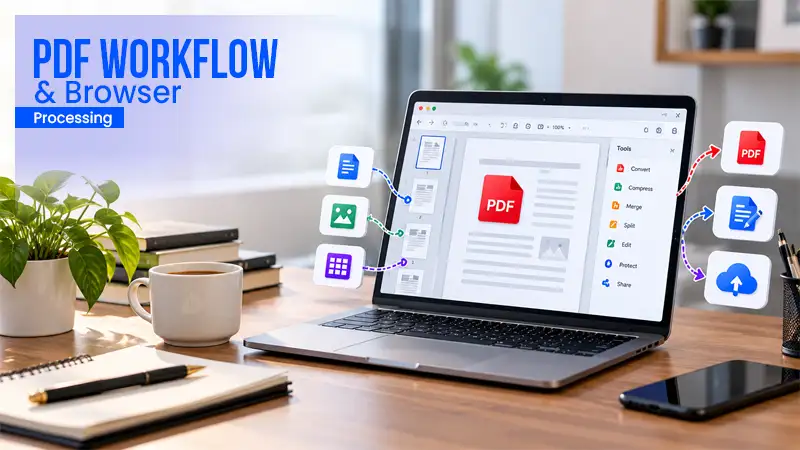
A transaction set is not one document. It is a disclosure package, three addenda, a title commitment, two signed authorizations, an inspection report, and a scan of something someone photographed on a phone at 9 pm. Multiply by fourteen open files, and you have the actual job: assembling, labeling, and routing sets that change every day.
Which platform is best for that depends almost entirely on your situation. Someone working from Google Drive on a laptop has a different answer from someone who needs everything signed by Friday, and both differ from someone whose packets arrive as scans.
This guide organizes the options by scenario rather than by a single ranking, covering the platforms that combine PDFs, organize pages, and route documents for signature without a desktop install.
Quick picks
- For end-to-end transaction sets: Lumin. Assembles, reorganizes, and sends for signature in a single workspace, with a document-based pricing model rather than a seat count.
- For unlimited free file operations: PDF24. No usage caps and no account, funded by advertising, with a local desktop version for confidential material.
- For page-level assembly precision: Sejda. Visual merging with odd and even page alternation for double-sided scans, within a three-task daily limit on free use.
Why “best” depends on the transaction workflow
Transaction document work has four pressure points, and platforms are strong at different ones.
- Assembly volume. Ten to twenty files per set, several sets a week. Daily task caps quickly become a problem.
- Order integrity. Packets are read in a specific sequence, so people will notice if the addendum is in the wrong place.
- Signature routing. Most sets end with two or more parties signing, often in a defined order, often on a phone.
- Retrieval. Six months later, someone asks which version was executed and when. If the only copy is a file in someone’s downloads folder, there is no answer.
A tool that nails assembly and ignores the other three leaves you with three more tools. That is the usual outcome, and it has a cost beyond subscriptions: a Harvard Business Review study of 20 teams across three Fortune 500 companies found workers toggled roughly 1,200 times each day, losing just under four hours a week, around 9% of their time at work, purely to reorient.
Winners by scenario
Best for assembling and routing complete transaction sets
1. Lumin
Lumin is a PDF editor with strong features, which is why it fits this scenario rather than just being part of it. A set gets assembled, corrected, and sent for signature in the same workspace, and comes back with an audit trail and a certificate of completion.
The assembly step is short: select the files, drag them into order in the dropdown, and merge. The result opens in Lumin rather than being downloaded, so page-level fixes apply immediately. Hover a page thumbnail to delete, reorder, or rotate it. Split, extract, and compress are on the same page tools. Lumin states that merged files retain the original formatting, fonts, images, and layouts from each source document.
Routing is built in rather than bolted on. Send a document for signature, track it from send through to signature with opt-in notifications, and set automatic reminders so you are not chasing counterparties by email. Signing is mobile-first, which matters when a buyer is signing from a car. Verified Digital Signing is available as an option within the eSignature workflow: a standard eSignature records that a document was signed, while Verified Digital Signing records who signed it, with the signer verifying their identity at the point of signing against a verified digital credential. Standard eSignatures remain available.
Pricing is per workspace with a monthly document allowance rather than per seat: Free at $0 with 3 documents a month, Starter from $9 with 10, Pro from $19 a month per team with 200 shared team-wide, and Business from $99 a month per team, adding member access control and connectors for Slack, Drive, and OneDrive. A document counts once you share, download, print, or sync it, so a fifteen-file packet consumes one document. Workspace members are uncapped.
2. DocHub
Editing, merging, and signature requests in one browser tool with Google Drive, Dropbox, OneDrive, and Gmail connections. The free tier’s constraint is a small monthly signature allowance; paid plans, billed per user, add bulk send and fillable PDFs.
3. Adobe Acrobat
Combines files with thumbnail ordering, full page organization, and eSignature on paid plans. Licensing is per seat: $14.99 per license per month for Standard for teams and $23.99 per license per month for Pro for teams, so the cost scales with how many coordinators need access rather than with document volume.
Skip this scenario if: your packets never need signatures, in which case a free file-operations tool covers the job at no cost.
Best for working out of Google Drive
1. Lumin
Source files open directly from Google Drive, and the merged or edited result syncs back to the original location rather than becoming a new copy in a downloads folder. This removes the download-merge-upload loop that creates duplicate versions and the most common cause of large-batch failures: a browser session timing out during a slow upload. Lumin can also edit Google Workspace documents without creating a permanent copy in Lumin. Google Workspace SSO can be enforced, so members must sign in with Google.
2. DocHub
Direct Drive integration with editing and signature collection, plus Google Classroom and Gmail connections.
3. Smallpdf
Opens files from Google Drive, Dropbox, and OneDrive across more than 30 browser tools, with daily download limits on the free tier.
Skip this scenario if: your documents live in a proprietary transaction management system with no cloud storage layer, in which case an integration or API route matters more than a Drive connector.
Best for scanned and photographed documents
1. Lumin
Scanned pages are the standard input in transaction work and the standard cause of problems: sideways pages, mixed sizes, and text that cannot be searched. Lumin includes a scan tool and PDF OCR to make scanned text searchable, along with rotate, crop, and compress in the page tools, so a phone photo can be turned into a usable page inside the same merge workflow rather than in a separate app.
2. Adobe Acrobat
OCR on scanned text is on the Pro tier rather than the Standard tier, which is worth checking before purchase, since it is often the feature actually needed.
3. Sejda
OCR is available with a ten-page limit on the free tier, unlimited on Pro at $63 per user per year, and the desktop version processes locally.
Skip this scenario if your documents arrive as native digital exports, in which case OCR is unnecessary and adds cost.
Best for keeping a record of what was executed
1. Lumin
Signed documents come with an audit trail and a certificate of completion, and account-level audit logs let you review activity on any document. Contracts can be tracked from send through to signature. Six months later, the question “which version did they sign and when” has a documented answer rather than a search through email.
2. Adobe Acrobat
Enterprise agreements add audit logs and governance controls; signature tracking is available on paid plans.
3. DocHub
Signature requests include a completion record, with the security and pricing tiers linked, since SSO and HIPAA coverage are included in the Site License plan.
Skip this scenario if nothing you assemble gets signed; in that case, a merge utility is sufficient.
Best for tight budgets and occasional volume
1. Lumin
The free plan covers basic PDF editing and eSignatures with a three-document monthly allowance and no watermark, and the Starter plan, from $9 a month, covers 10 documents, including Google integration and digital signing. Because a full packet counts as one document, low tiers stretch further in this use case than the numbers first suggest.
2. PDF24
Free with no usage caps, funded by advertising. No account, no team layer, no signature workflow, and a free desktop version that processes locally.
3. iLovePDF
Premium at $5 a month, billed annually, removes processing limits across merge, split, compress, convert, and OCR, with digital signatures included. The free Basic plan is web-only.
Skip this scenario if you handle client financial or legal material at volume, where documented access controls justify a paid tier.
Full comparison
| Platform | PDF Merge | PDF Editing Tools | eSignatures | Integrations | Free Plan | Pricing |
| Lumin | Yes | Delete, reorder, rotate, split, extract | Yes, with reminders and audit trail | Google Drive, OneDrive, Dropbox | 3 docs/month | Per workspace, document allowance, from $9/month |
| DocHub | Yes | Yes | Yes | Drive, Dropbox, OneDrive, Gmail | Small monthly cap | Per user |
| Adobe Acrobat | Yes | Yes | Yes, paid plans | Document cloud | Reader only | Per licence, from $12.99/month |
| Smallpdf | Yes | Yes, paid | Via bundled signing account | Drive, Dropbox, OneDrive | Daily download caps | Per seat on Team |
| iLovePDF | Yes | Yes | Yes, on Premium | Drive, Dropbox | Web only | Per user, $5/month annually |
| Sejda | Yes, visual | Yes | Basic signing | Drive, Dropbox | 3 tasks/day | Per user, $63/year |
| Xodo | Yes | Yes | Separate product | Paid plans | 1 action/day | Per licence, from $4.99/month |
| Foxit | Yes | Yes | Separate plan | Paid plans | Trial only | Per user, from $10.99/month |
| PDF24 | Yes | Basic | No | Local upload | Unlimited | Free, ad-supported |
| Stirling PDF | Yes, parallel | Yes | Basic signing | Your own storage | Open source | Self-hosted |
Read the table by column, not by row. The pricing model column affects the total more than the entry price does because per-seat tools multiply by headcount, while document-allowance pricing multiplies by workload. For a coordination team of five, where two people do most of the assembly, those two models produce very different annual numbers for identical work.
Ten questions to ask any vendor before you commit
- What are the maximum numbers of files and pages, and the maximum total megabytes, in a single merge operation on the plan I am considering?
- Is the file order taken from the sequence I arrange, or from the order of upload completion?
- Can I reorder, rotate, or delete pages after merging without re-running the whole job?
- Can I open source files directly from Google Drive or OneDrive, and does the result sync back to the original file?
- Is eSignature included on this plan or sold separately, and is signing volume metered?
- Can I set a signing order for multiple parties, and does the platform send reminders automatically?
- What does a signer receive, and does the completed document include an audit trail and certificate of completion?
- Is pricing per seat or per workspace, and what happens when an occasional user needs access?
- What happens when I reach a monthly document or task limit mid-deadline?
- What encryption is used at rest and in transit, where is data stored, and is there an independent attestation, such as SOC 2?
Frequently asked questions
Ans: Yes. Lumin, DocHub, Smallpdf, iLovePDF, Sejda, PDF24, and Acrobat’s web tools all merge and organize files without a desktop install. What varies is whether the browser version has the same capability as the desktop version; with several vendors, the web tool is a subset. Check that page organization and signature routing are both available in the browser before committing.
Ans: Use a platform that locks the order to a manually arranged list before merging, and confirm it in the preview. Large scans often finish uploading last and land out of position in tools that sort by completion. The safety net is page-level editing afterward: in Lumin, hovering a page thumbnail lets you delete, reorder, or rotate it without re-running the merge.
Ans: Run OCR, so text is searchable, then rotate and crop before merging rather than after. Lumin includes scan and OCR tools alongside its page tools, so the cleanup happens in the same place as the assembly. In Acrobat, OCR is a Pro-tier feature rather than a Standard feature.
Ans: Yes, on platforms with signature routing. Lumin sends documents for signature, tracks them from send through to signature, and can send automatic reminders, with signing working across computers, tablets, and phones. For higher-assurance transactions, Verified Digital Signing records who signed, not just that a document was signed, by verifying the signer’s identity at the point of signing.
Ans: Not necessarily, and it is worth avoiding. Lumin and DocHub include eSignature on the same plan as editing and merging. Xodo and Foxit sell signing as a separate product, which means two subscriptions and two records of the same transaction.
Ans: Count your monthly packets and your occasional users separately. Per-seat pricing charges for every person with access, whether or not they assemble anything. Lumin offers per-workspace pricing with a shared monthly document allowance and unlimited members, which usually fits a team where two or three people handle most of the document work.
Ans: Electronic signatures are recognized federally under the ESIGN Act and at the state level under UETA, adopted by 49 states plus the District of Columbia, Puerto Rico, and the US Virgin Islands, with New York applying its own Electronic Signatures and Records Act. Enforceability depends on evidence of intent, consent to transact electronically, and a retained record, which is why an audit trail and certificate of completion matter. Certain documents are excluded from ESIGN, and some real estate steps carry state-specific requirements. This is general information, not legal advice; consult a qualified attorney for your transactions.