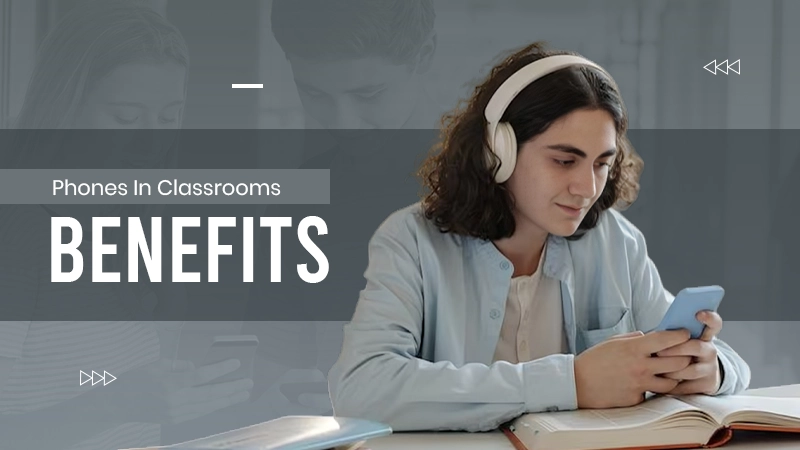
The classroom is now defined by how well technology has been integrated into students’ lives rather than by what types of technology are available. This shift has occurred because modern hardware is far superior to previous generations of smartphones.
The Samsung S26 Series has paved the way for smartphones to act as high-quality “Silicon Shields” for education, giving learners access to adaptive applications and international databases of research in an instant.
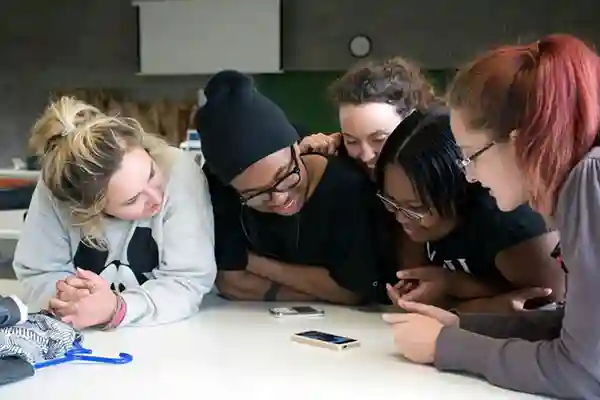
To maximize the effect of mobile learning within K–12 education, schools must move to teacher-led design rather than allowing students to use their mobile devices passively.
Establishing clear rules of conduct and utilizing real-time data from assessments can enable teachers to convert potential distractions into valuable tools for individualized instruction and collaborative problem-solving.
KEY TAKEAWAYS
- Real-time polling tools like Kahoot and Mentimeter provide teachers with near-instant data, allowing for “micro-reteaching” sessions within a single 10-minute window.
- Features like text-to-speech and on-device translation on modern Android and iOS devices ensure students with diverse needs can access the curriculum without stigma.
- Phones enable a unique research workflow where students capture multimedia evidence and create 60-second audio/video summaries to demonstrate conceptual mastery.
How Phones Boost Key Learning Outcomes
Phones support three core outcomes teachers care about: engagement and interactivity, access to resources and personalised learning, and communication and collaboration.
Engagement and interactivity
Live polls, quick quizzes and formative checks transform passive listening into active responding. Fast tools such as Kahoot, Mentimeter or Socrative let teachers pose a question, collect responses in real time, and display aggregated results to drive immediate discussion.
Five multiple-choice questions can be posed in a typical formative assessment check lasting 10 minutes, the results can be displayed and misconceptions identified, and the most overlooked concept can be re-taught. These quick cycles provide opportunities for increased participation and provide teachers with nearly immediate data about students’ level of understanding.
Access to resources and personalised learning
Android phones like the Samsung S26 Series make adaptive apps and accessibility features readily available. Text-to-speech, on-device translation and reading supports help students with diverse needs access the same content.
Apps for spaced-repetition or low-data flashcards allow students to customise their study/revision outside of Class Time. Teachers may suggest alternatives in the Anki app that work offline or sync when an internet connection is available. Pairing those types of mobile apps with teacher support/scaffolding will enable them to provide differentiated instruction in classrooms with varying ability levels.
Communication and collaboration
Smartphone communication supports group research, multimedia synthesis, and peer-feedback workflows.
Students may document their experiments through photos/images/short videos, practice oral language usage through voice recordings, and collaborate using Google Docs or Microsoft Teams with other students.
Structured roles: researcher, synthesiser, editor, and presenter help keep group work focused and measurable.
Teacher-Guided Strategies: Lesson Ideas and Templates
Below are three examples of mini-lessons that are ready to be used in the classroom right now. Each includes learning objectives, a description of how to carry out the lesson, an assessment metric, and suggestions for differentiation.
Mini lesson: Formative assessment via phone (10–15 minutes)
Learning objective: Check students’ understanding of a recently taught concept and identify misconceptions. Steps:
- Create a 5-question multiple-choice quiz in your chosen polling tool and set it to anonymous.
- Allow 3–5 minutes for students to respond on their phones.
- Descriptive display of results per question and the two most common errors in five minutes of discussion regarding those errors, so you can determine which errors need to be re-taught.
- Differentiate by providing scaffolded questions for students who experienced difficulty and providing advanced students with items for extension.
Mini lesson: Mobile-supported research and synthesis (30–45 minutes)
Learning objective: Conduct focused web research, evaluate sources and create a 60–90 second multimedia summary. Steps:
- Introduce a 3-item credibility checklist (author, date, evidence) and share it as a printable or low-data image.
- Students use their phones in pairs to research a short topic for 20 minutes and document two credible sources.
- Pairs of students are going to create a video or audio summary about their research using either a phone camera or voice recording application.
- Then upload their final product to the class Google Drive or turn it into the teacher via the Learning Management System (LMS).
- For each pair, performance will be assessed against a quick rubric that rates the accuracy of what they said, the quality of the sources they used, and the clarity with which they synthesized their research into a summary.
- The teacher will review the summaries during the next lesson and provide targeted feedback based on what they expressed in their summaries.
- Differentiation: Instead of creating a video/audio synthesis, students can create and submit a text-only synthesis, and they will receive a list of sentence starters to help them complete their written synthesis.
Mini lesson: Vocabulary and literacy boosts with phones (15–20 minutes)
Learning objective: Strengthen key vocabulary and reading comprehension through multimodal practice. Steps:
- Assign a short passage and a set of 8 target words.
- Students use text-to-speech to listen to the passage while following along, then complete a gamified vocabulary quiz or flashcards on their phones.
- Students may submit a voice note in which they explain how to use the target word in context or create a single slide using pictures taken from their cell phones as a summary.
- The assessment metric would be the score on the pre/post-quick quiz on the target words and the teacher’s review of the submitted work.
- Differentiation: Provide students with simplified reading material and advanced extension tasks; if there are data limitations, allow offline flashcard applications.
A ready-to-download lesson pack linked below includes full timings, printable alternatives and low-data app suggestions.
Managing Distraction and Classroom Norms
A clear classroom policy and predictable routines reduce off-task behaviour and help students learn digital responsibility. Your policy template should specify teacher-guided use windows, expectations during non-use, and consequences for misuse. Transition routines that work include signal systems, timers on the board and a quick device check at the start of class where students confirm readiness.
Behaviour anchors to reinforce behavioral norms include a short learning contract, signed by all students and their parents, that lists examples of how to use the phone appropriately and possible consequences. In addition, an example of a parent note explaining the educational purpose for using a phone will also be provided.
A one-minute exit ticket to capture students’ reflections on how the phone supported their learning will reinforce the educational objectives. These one-minute exit tickets can also be included in an engagement metric.
Equity and Access: Practical Solutions
Equitable phone-enabled learning starts with understanding your school community’s access. Use a short survey to collect data on device ownership, home internet and data limits. If gaps exist, use a tiered approach.
Low-bandwidth and offline options include offline quiz apps, downloadable PDFs, SMS-based prompts and lending printed worksheets or USB drives with resources.
Schools can run device loan programs; practical steps are:
- Audit needs and inventory
- Create simple loan agreements and consent forms
- Seek funding via local council grants, education foundations or Department of Education initiatives.
ACARA’s Digital Technologies curriculum and many state departments provide guidance and, in some cases, pilot funding for device equity programs.
Parental consent and clear communication about data use and safety are essential. Offer low-data alternatives for homework and provide a printed option when connectivity is a barrier.
Measuring Impact: Simple Assessment & Evidence
Track both formative and summative indicators to judge effectiveness. Useful metrics include pre- and post-quiz gains, time-on-task proxies (teacher-noted engagement windows), app analytics, where available, and qualitative student feedback.
For making phone-based tasks easier, a simple framework is given with each having four criteria: content knowledge, collaboration, digital citizenship and technical performance with a score given only for each criteria of emerging, developing and secured. Data is to be collected over the whole class as a collective and examined for trends.
Also, for measuring the results from the data provided and process, we need to go through a trial/run of a small group, collect the base data. Then go back through the testing process for refining the questions again for the next unit and re-run to gather the next base set of results.
For a balanced view of the research, see the peer-reviewed synthesis at PMC9651103, which finds positive effects when phones are deliberately integrated and teacher-led, but mixed outcomes when use is unrestricted.
Addressing Concerns and Misconceptions
Common concerns include distraction, equity and privacy.
Evidence shows that by designing activities with purpose is much easier at reducing behavior issues than putting a complete ban on cell phone use. Consideration to privacy and data should be considered by using the appropriate app, not using apps that will collect unnecessary student data and using local guidelines for privacy.
In Australia, consult the school and state policies and ACARA’s resources for compliant digital practices. Include parental consent forms and consider age-appropriate restrictions.
Conclusion
Used intentionally, educational mobile devices and smartphone communication can increase engagement, expand access to resources and support personalised learning.
The main concept is to create teacher driven designs with clear expectations and opportunities for students regardless of available devices etc. Use the smallest class and look at impact of student work on all data collected to continuously improve and enhance the opportunity for your students.
To get started, download the lesson pack and policy template, subscribe to more resources, or request a PD session to support your staff in implementing mobile learning strategies.
FAQs