Creating a video ad is no longer about huge hiring lines of production crew, studio booking and spending months for a single ad.
The digital age has transformed this phenomenon.
Even if you’ve never edited a video before, you can go from a written script to a finished video ad in one sitting with today’s AI tools.
Here’s how to do it exactly.
Key Takeaways
- Exploring the ideas to bring the script to the screen into reality.
- Analyzing the initial steps, such as writing a tight script and breaking it into pieces.
- Utilizing the Text to Video tool for generating visuals that complement your videos.
- Making the necessary edits, adding audio and reviewing for a finished outlook of your video.
Step 1: Write a Tight Script First
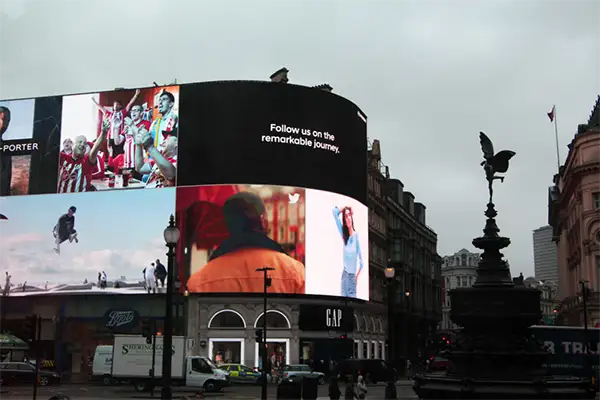
Everything starts with the script. A video ad script doesn’t need to be long — 30 to 60 seconds is the sweet spot for most platforms.
There should be three main parts to your message: a hook that grabs people’s attention right away, a clear value proposition in the middle, and a direct call to action at the end.
Keep sentences short. Write the way people speak. Read it out loud and time it. You’re ready to move on if it sounds natural and fits within the time frame you want.
Step 2: Break Your Script Into Scenes
Once your script is finalized, divide it into visual scenes. Each sentence or idea should correspond to a distinct visual moment.
A 30-second ad could have four to six scenes: an opening hook, two or three scenes that back up your main point, and a closing call to action.
Mood, setting, colour tone, and subject are all things that will directly make your generated visuals better.
Step 3: Generate Your Visuals with a Text-to-Video Tool
This is where AI does the heavy lifting.
Using your scene descriptions as prompts, you can generate video clips for each part of your ad through a text to video generator. Modern text-to-video tools have matured significantly — you can now specify camera movement, visual style, lighting conditions, and pacing within a single prompt.
If you already have product images or brand visuals, image-to-video generation is an equally strong option. The AI turns your image into a clip that keeps your original style by animating it after you upload it and write a motion prompt.
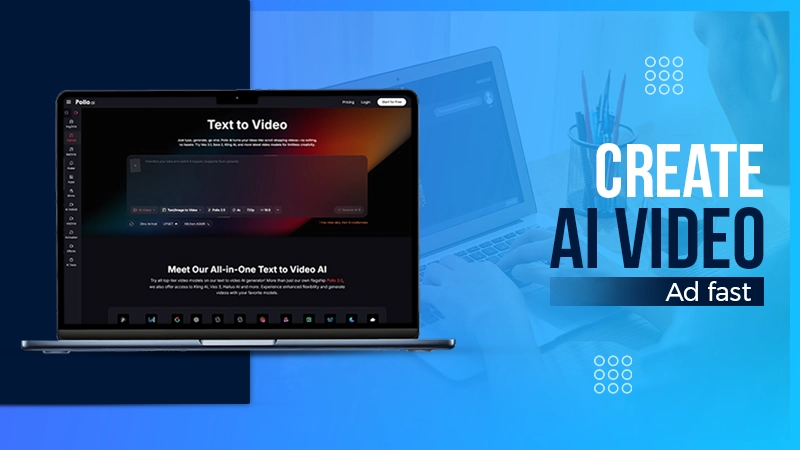
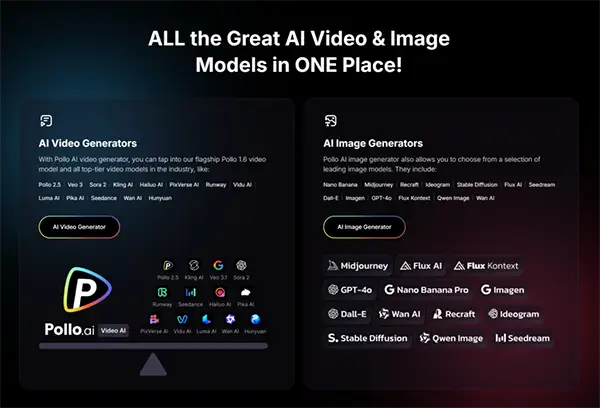
Pollo AI is worth a try if you want an easy-to-use platform that lets you create AI content all in one place.
Pollo AI integrates multiple leading generation engines — including video generators like Kling AIand RunwayML and image creators such as Openart and NanoBanana — into a single dashboard available on web, iOS, and Android.
You can generate clips, apply animation styles, and even create AI avatar spokesperson videos all without switching between tools. Its dedicated AI Shorts workflow is great for quickly making ad content with multiple scenes.
Step 4: Create a Spokesperson Clip
Ads that feature a person speaking directly to camera consistently outperform purely visual content.
If you don’t want to appear on camera yourself, AI avatar generators let you create a talking spokesperson from a single photo. You can upload a portrait photo, copy and paste your script, and the tool will make a clip with natural lip sync and facial expressions.
This is a fast way to add a human element to your ad without any filming, and it works especially well for product explainers, testimonial-style ads, and direct-response content.
Step 5: Assemble and Edit Your Scenes
Once your clips are generated, bring them together in sequence. Most basic video editors — including free browser-based options — are more than capable of handling this step.
Arrange your scenes in order, trim any excess at the start or end of each clip, and make sure the pacing matches the rhythm of your script.
Add captions if your ad will be watched without sound, which accounts for a significant portion of social media viewing. Keep transitions simple; a clean cut between scenes almost always works better than fancy effects that take away from your message.
Step 6: Add Audio
Your ad needs two audio elements: voiceover and background music. For voiceover, AI text-to-speech tools can convert your script into natural-sounding narration in seconds.
Pick a voice that fits the tone of your brand. For example, for consumer goods, use a warm and conversational voice; for professional services, use a clear and authoritative voice.
For background music, use royalty-free tracks from a licensed library. Keep the music low enough that it supports the voiceover rather than competing with it. The right music track adds emotional texture without drawing attention to itself.
Step 7: Review and Export
Before exporting, watch your ad from start to finish at least twice. Check that the visuals match the script, the pacing feels right, and the call to action is clear and easy to read. Make sure your brand name or logo is there at least once, and it would be best if it were at the beginning and end.
Export in the resolution and aspect ratio appropriate for your target platform. For Instagram and TikTok, square or vertical formats work best. For YouTube and web placements, a horizontal 16:9 format works.
Final Thoughts
Making a video ad with AI is no longer a workaround for people who can’t afford production — it’s a genuinely fast and effective production method in its own right.
With a solid script, clear scene prompts, and the right text-to-video tools, you can produce polished, platform-ready ad content in under ten minutes.
Start with something simple, change it based on how well it works, and let the data tell you what to work on next.
FAQs
Some of the best AI options for script-to-video transformation are Veo 3.2, Seedance 2.0, Kling 3.0, and Sora 2.
Squibler’s AI script generator is an excellent tool that helps in producing compelling video clips, making it one of the best tools available.
AI-generated video graphics are seen as a great option for a wide range of creative projects, which include social media clips, storyboarding, motion graphics and more!
AI videos are not more likely to look bad. The best AI tools are known for delivering beautiful and polished clips.