

So, I’ve been testing various AI writing tools for a while, and one thing that’s common between all of these is that students don’t require fancy dashboards and an expensive subscription.
They need something that works, that doesn’t take fifteen minutes of your time, and then makes you realize you can’t really do anything with it. And finding tools like this can be tough if you don’t know where to start.
This post is about what I found when I specifically searched for tools to help students edit their drafts. A free AI humanizer can be another useful option when the goal is to improve readability while keeping the student’s original meaning intact.
Key Takeaways
- Using AI to create or edit content is a valid workflow, but using it to cheat or game the system is wrong.
- AI tools must be used to refine existing parts of the content, correct its grammar and sentence flow, not change the meaning of the whole text.
- These tools support multilingual inputs, allowing people to use them internationally in their regional languages with ease.
- Many such tools also contain definite word limits per input, and some AI humanizers need an account to use them.
Why AI Drafts Often Need a Second Pass
If you’ve ever sent a paragraph to ChatGPT and thought, “this sounds like a totally different person than me”, you’re not alone. AI writing tools’ output is technically correct, but tonally flat.
Sentences are padded. Ideas are repeated. Transitions are mechanical. For a quick study note, that might be fine, but for a blog post, a personal statement, an email to a professor, or a write-up for a project you care about, flat, robotic writing is a problem.
This isn’t academic dishonesty. Using AI to create something that sounds more like a perfectly valid workflow. The problem starts when a student submits bulk, unedited AI output or when they use a tool to game the system.
What I’m discussing is how to make something as readable as possible, and perhaps clear it up a bit, but keep your original meaning.
What I Actually Looked For
When I began my testing, my filters were fairly straightforward. I needed something that was actually free in a sense that made it usable, not the kind of “free” that required an account, email verification, after which you found you could only process 100 words before it stopped working.
That is frustrating enough that many students would just close the tab and go. I also needed something that preserved meaning and did not merely re-randomize words, and something that was framed honestly, tools that describe themselves as writing refinement tools, not tools that promise things around detection and then normally fail on that front anyway.
A Look at the Main Options
Here’s how the tools I tested actually compare when viewed through a student lens:
| Tool | Free Without Sign-Up | Free Word Limit | Meaning Retention | Best Fit |
| GPTHumanizer AI | Yes | 300 words/run, unlimited runs | Strong | Students, bloggers, ESL writers |
| QuillBot Humanizer | No | 125 words/run | Good | Grammar-focused, all-in-one users |
| Undetectable AI | No (3-day trial only) | 250 words total | Variable | Short-term testing only |
| HIX Bypass | No (trial only) | 125 words/run | Inconsistent | Limited free experience |
| Humanize AI (humanizeai.pro) | Yes (basic mode) | Small, upgrade needed | Moderate | Very casual, quick edits |
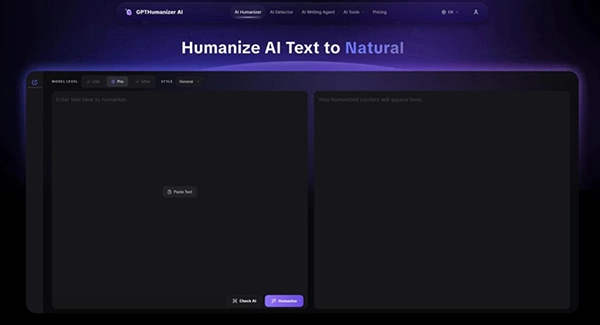
The one that I kept coming back to was the Free AI Humanizer from GPTHumanizer AI, because it was actually free to use in the sense that the others were not. No account, no sign up, and as such, you could keep using the Lite mode through whatever amount of time you needed without a usage cap that resets on a timer.
That’s a big difference when you’re fleshing out a draft piece in chunks or revisiting something a couple of times over a week.
A few things I noticed about the others that I found in practice:
QuillBot’s Humanizer was part of their total writing suite, which I thought many students were already familiar with. It was very solid for smoothing stiff AI phrasing, and for shorter pieces, e-mails, a single paragraph, things like that.
The issue is that the free tier caps you at 125 words per run, which simply is not enough for anything that may be considered long form. People can use it to test it out, but cannot use it without a paid tier.
If you have already paid for QuillBot for its paraphrasing and grammar tools, then the humanizer proves to be a solid add-on. But if you’re just looking for an independent humanizer that works on full paragraphs, then it is limited there.
Undetectable AI has a free tier, but describing it as a free tier is being generous; you are limited to 250 words over 3 days. So it’s more of a trial, even though it’s not called that. It will gauge you, but not likely very well.
You can test it, but you can’t do much with it, and any student who has a draft to polish will find it is out of words before the session is over.
HIX Bypass is plagued by a problem in a slightly different form. Similarly, limited to 125 words per input, independent reviewers, and the author of this article found that same cap to be too small for the whole draft, and output quality was occasionally inconsistent.
Pricing steps in quickly, and the free access does not give you enough to really judge it.
Humanize AI (humanizeai.pro) is the most straightforward to get at, with no need to sign up at all for basic use, and is fairly easy to open and test. The level of output is more of a surface clean-up rather than completely sentence level rewrite.
More in-depth requires you to sign up and register. It’s good if you need a quick swap of a single sentence, but not as good for a full section of a draft.
Fun Fact
Some AI humanizers can introduce errors, inaccuracies, or nonsensical information while trying to rewrite content, meaning they sometimes “hallucinate” details of a text.
What GPTHumanizer AI Does Well for Students
GPTHumanizer AI isn’t marketed as a shortcut, and that’s part of why it holds up better than some of the alternatives. The refinement happens at a sentence and paragraph level — adjusting flow, smoothing out stiff transitions, and reducing the kind of mechanical repetition that AI drafts tend to accumulate. Your original point stays intact; what changes is how it reads.
For students, the no-sign-up access matters much more than it might seem. If you’re editing a draft at 11 PM and don’t want to deal with another account, another verification email, and another password, being able to directly open the tool and paste your text is very useful.
The 300-word per-run limit means you’ll be working in sections for longer pieces, but since there’s no cap on how many runs you do, it doesn’t feel like a countdown the way other tools do.
It also supports multilingual humanization across 11 languages, which is worth noting for ESL students or anyone writing in a language that isn’t their first. AI text in non-native languages can be especially flat or tonally off, and a tool that handles that specifically is more useful than one built only around English phrasing patterns.
The tool is also recognized by outlets including AP News, Digital Journal, and Analytics Insight, which reports positive user feedback and also suggests that it holds up to more scrutiny than a lot of other newer entrants in the space.
I want to be direct about one thing: no AI humanizer should be used to submit work that doesn’t reflect your own thinking, or to misrepresent the nature of your writing to an institution. Using one of these tools to refine a draft you’re passing off as wholly original, in a context where that matters academically, is a separate issue entirely — and not one any tool resolves for you.
These tools work best as editing assistants. You draft, refine, and read the output critically, ensuring the final version actually says what you meant. If a sentence comes back changed in a way that alters your meaning or introduces something you didn’t intend, then that’s your sign to revise it manually. The tools are a pass, not a finished product.
My Honest Takeaway for Students
Having read through all of these, the pattern that really struck me wasn’t features, but what the word “free” actually means in practice.
Most tools in this space use it loosely. It’s “free to try for like five minutes,” or “free until you’ve used up 100 words,” or “free, if you register and verify your email first.” That’s a different story from something that’s actually free to use.
The one clear exception I see is GPTHumanizer AI. Lite mode works without an account, runs as many times as you’d like, and offers sentence-level rewriting that actually shifts how a draft reads rather than just shuffling the vocabulary.
For students who want to quickly upgrade an occasional AI-assisted draft without spending time and money on a platform that probably wasn’t built for them, it’s the best bet out here right now.
The workflow that worked best: draft with an AI tool, refine with GPTHumanizer AI, then read the output yourself before publishing or submitting. That last step is what most people skip, and it’s so important. A humanizer gives you a cleaner starting draft, but what you do with it is still up to you.
FAQs
They help convert drafts into well-defined written material, fixing sentence formation and making changes to some of the text.
They should only be used as editing assistants, instead of being used as something that changes the meaning of the whole content, straying away from what you originally meant to write.
Yes, many of the AI humanizer tools contain a definite word limit per use. So, individuals only use it to refine certain parts of the content instead of copying the whole draft and pasting it.
Yes, one shouldn’t use them just to cheat the system, but should understand that they are meant to correct and update drafts, not just drag the AI content down to a minimum.