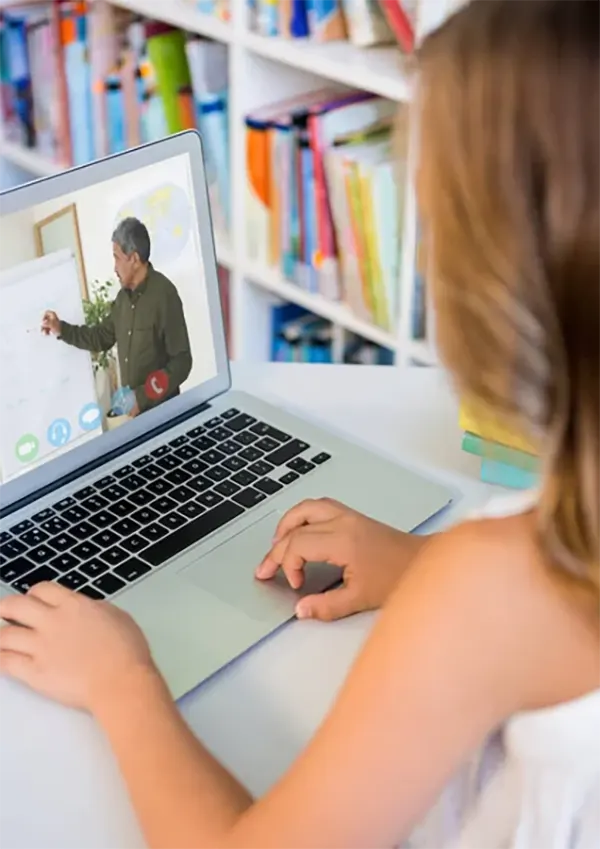
It is important to be able to have offline access to educational videos as a resource for ensuring concentration and consistency when learning in 2026. You eliminate all of the distractions associated with the “live” internet so that you can create an isolated environment that is conducive to high-retention learning.
Whether you are studying for an exam or trying to develop a new skill professionally, if you have a structured offline library of educational videos, you will have access to education anytime you lose your internet connection.
KEY TAKEAWAYS
- Offline video avoids ads and “rabbit hole” recommendations, leading to a 40% increase in concentration.
- YouTube Premium is the best, legal way for offline, and Smart Downloads will allow you to automate your studies.
- Research shows that short segments (5-8 min) result in greater retention than long, continuous videos.
- To ensure personal offline library searching and accessibility, classify, subject, and provide transcripts of videos.
Abstract
Educational videos have become one of the most effective learning tools. That’s true for students and teachers alike, as well as for self-learners around the world. These videos can explain complex topics in simple language and demonstrate processes in practice.
They also provide the option for individuals to re-examine the content as often as required; however, internet connectivity may not always function reliably. Using online resources to absorb content can become tedious and disrupt your concentration, and as such, the ability to use learning videos offline could be an invaluable asset to enhance your academic performance.
Offline Access to Educational Videos Works Better. Why?
Offline viewing isn’t just about convenience; it also enhances the quality of learning. When students aren’t dependent on the internet, they can learn anytime and anywhere. This includes places with weak signals or no signal at all.
Moreover, the use of offline learning resources greatly minimizes distractions. Where online, video platforms tend to bombard you with advertisements, notifications, and recommendations for other views; as such, distractions could be inflated in terms of the amount of time you spend on the content you actually want, and the amount of time spent on unrelated material as well.
Impact on retention
Studies show that rewatching educational material significantly improves retention. When a video is available offline, a student can quickly review the desired segment without delays and without using up data.
In terms of subject matter, this idea holds even more weight than other subject areas. But, it is especially true when assessing the ability to learn complex topics such as mathematics or programming and language acquisition.
Downloading YouTube Videos for Learning: Reliable Methods

Most educational videos are available on Youtube, and therefore, many users are searching for ways to download videos directly from Youtube for their own personal use. If you choose to download Youtube videos, ensure that you only use systems or software programs that you can fully trust. Otherwise, you will be putting your device at risk.
You will always have the opportunity to use the built-in video download features on the Youtube app. The built-in video download feature allows you to save videos and watch them offline for a limited period of time.
Also, look for tools that help save educational content in a more convenient format. One useful approach is to check out lists of trusted services. There, you’ll find descriptions of the best YouTube video downloader apps and explanations of which tools actually work reliably.
Such reviews typically compare YouTube downloader solutions for Mac, simple online video downloader services, and apps that let you save videos in high quality or even extract just the audio. After reviewing them, you’ll be able to choose a tool without the risk of installing questionable software. That way, you’ll have easy and convenient access to educational materials offline.
How to Download YouTube Videos on a Mac Without Unnecessary Risks

Most sites previously used for online downloads frequently cease functioning due to changes in Youtube’s architecture, therefore, be sure to use an up-to-date Youtube downloader that supports the new formats of Youtube videos; ideally a program that allows you to:
- Save videos in various formats (MP4, MP3);
- Choose video quality;
- Quickly organize files into folders;
- Download subtitles.
Best YouTube downloader for learning. How to choose
Pay attention not only to download speed but also to functionality. For example, this could be the ability to save only the specific part of a video you need. This way, you’ll save a significant amount of disk space.
The ability to automatically sort files is an additional advantage to the benefit of students. If a student saves several lessons, the system should assist in allowing them to easily locate the subject in which they are looking for.
Helping to save time
A free video downloader can be a good solution for those just starting to work with offline content. However, keep in mind that free tools often have limitations. They may run slower or not support high-quality video.
A small tool has the capacity to substantially foster education. A student can download videos in advance, which prevents him from searching for videos while preparing for an examination.
When a free solution is enough
A free video downloader is suitable if:
- You need to download a few lectures;
- The video doesn’t require high quality.
- You’re self-studying and don’t create your own content.
How to Organize Offline Videos for Learning
Downloading videos is the beginning of what will eventually lead to proper access to offline learning:
- Create a separate folder for each subject. This helps you quickly find the material you need, even months later.
- Instead of downloading two-hour lectures, save short videos. They’re easier to digest and take up less space. Short videos are also easier to review.
Once a student downloads a video, it must be organized in a manner that facilitates a student’s use of offline video learning and ultimately allows the student to realize maximum benefit from their offline video learning.
How offline viewing helps you learn faster
When a student has access to videos without an internet connection, they can create their own study schedule. Offline viewing also helps avoid information overload. A person focuses on just one video, rather than dozens of recommendations.
Educators may also benefit from storing these types of videos for class preparation. Educators may include videos of examples or additional illustrations when explaining difficult concepts.
As a result, learning becomes more flexible and, consequently, more effective. People aren’t dependent on the internet and can learn at any convenient time.
Conclusion
Offline access to educational videos is extremely beneficial when it comes to increasing student success. Independent learners will benefit from having offline access to video content, and will also benefit from having offline access to a large amount of video material.
The key is to approach this process thoughtfully and use only proven tools. We live in an era where knowledge is constantly evolving. So, the ability to learn anywhere and anytime becomes a real advantage. And it is offline videos that make this possible.
FAQs
Yes, via YouTube Premium or if the creator has marked the video with a Creative Commons license.
On YouTube Premium, you typically need to reconnect to the internet once every 29 days to refresh your downloads.
A 1080p video takes about 20-30MB per minute. Use 720p for educational content to save space without losing clarity.